With Groove’s Sendoso integration, you can send personalized gifts and direct mail as part of multi-channel campaigns and account-based marketing programs.
Setup Guide:
To enable the Sendoso integration, go to Manage My Org > Integrations section, and toggle on the integration. You will now be able to add a Sendoso action to a Groove flow.
Adding a Sendoso Step in your Flow
To integrate a Sendoso step into a Flow, select send Sendoso gift from the dropdown and click Save.
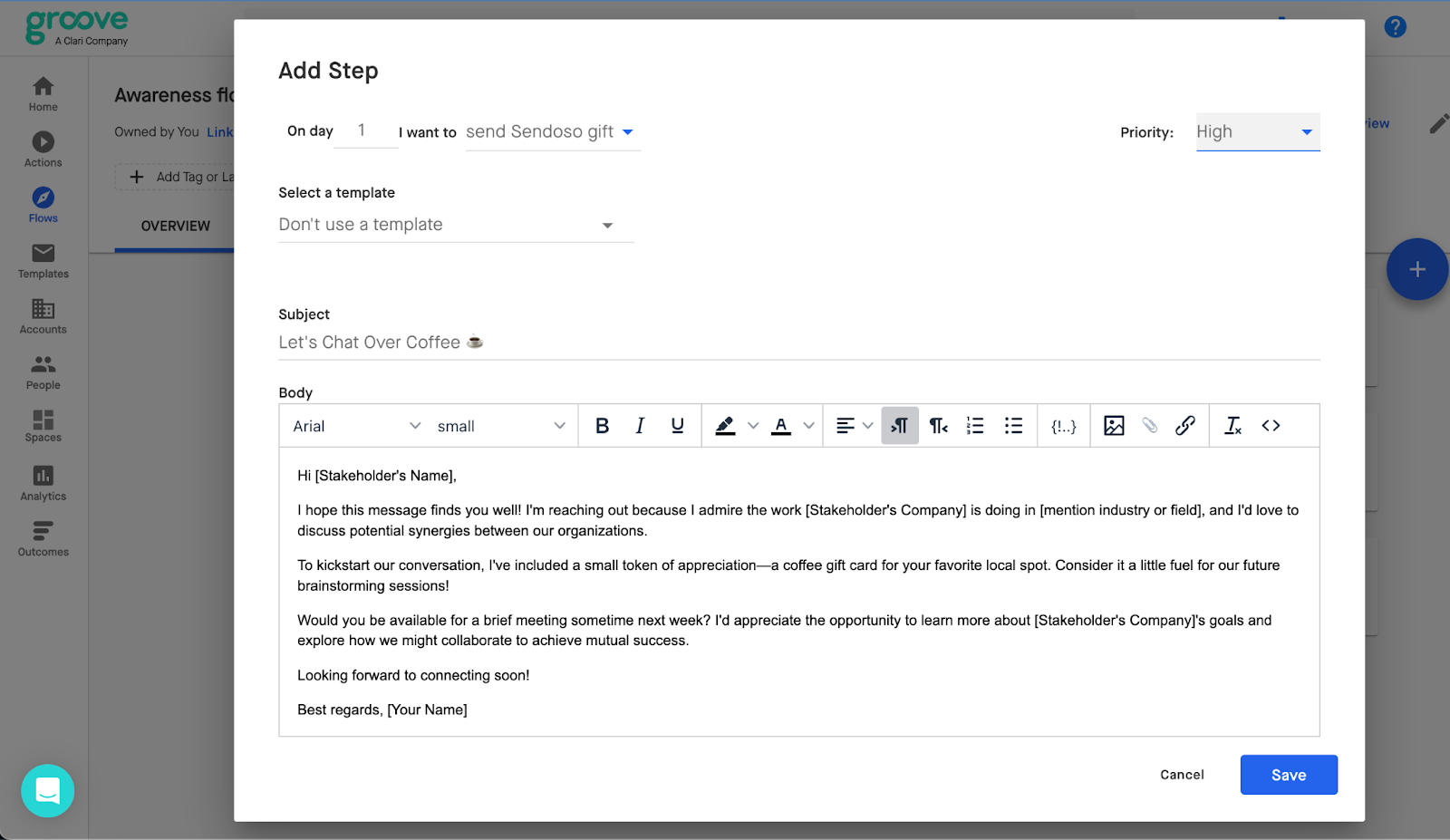
You can also select a centrally managed template and customize it to add a personalized note along with your send.
Sending a Sendoso Gift
To send a Sendoso campaign, first make sure that you're logged in to Sendoso by clicking here.
When Groove executes the Sendoso step, it will bring you to the Sendoso portal within Groove to select your campaign and send.
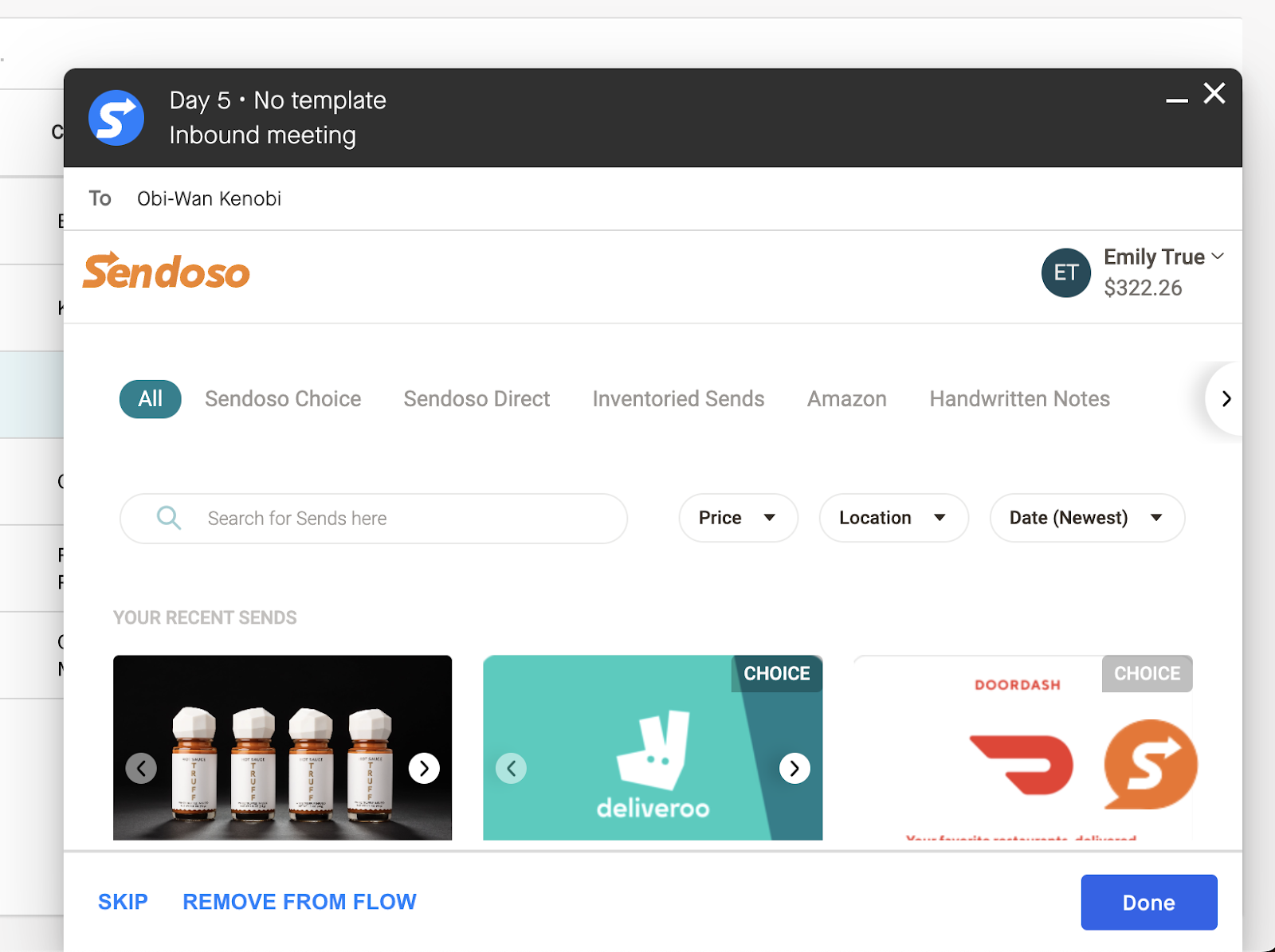
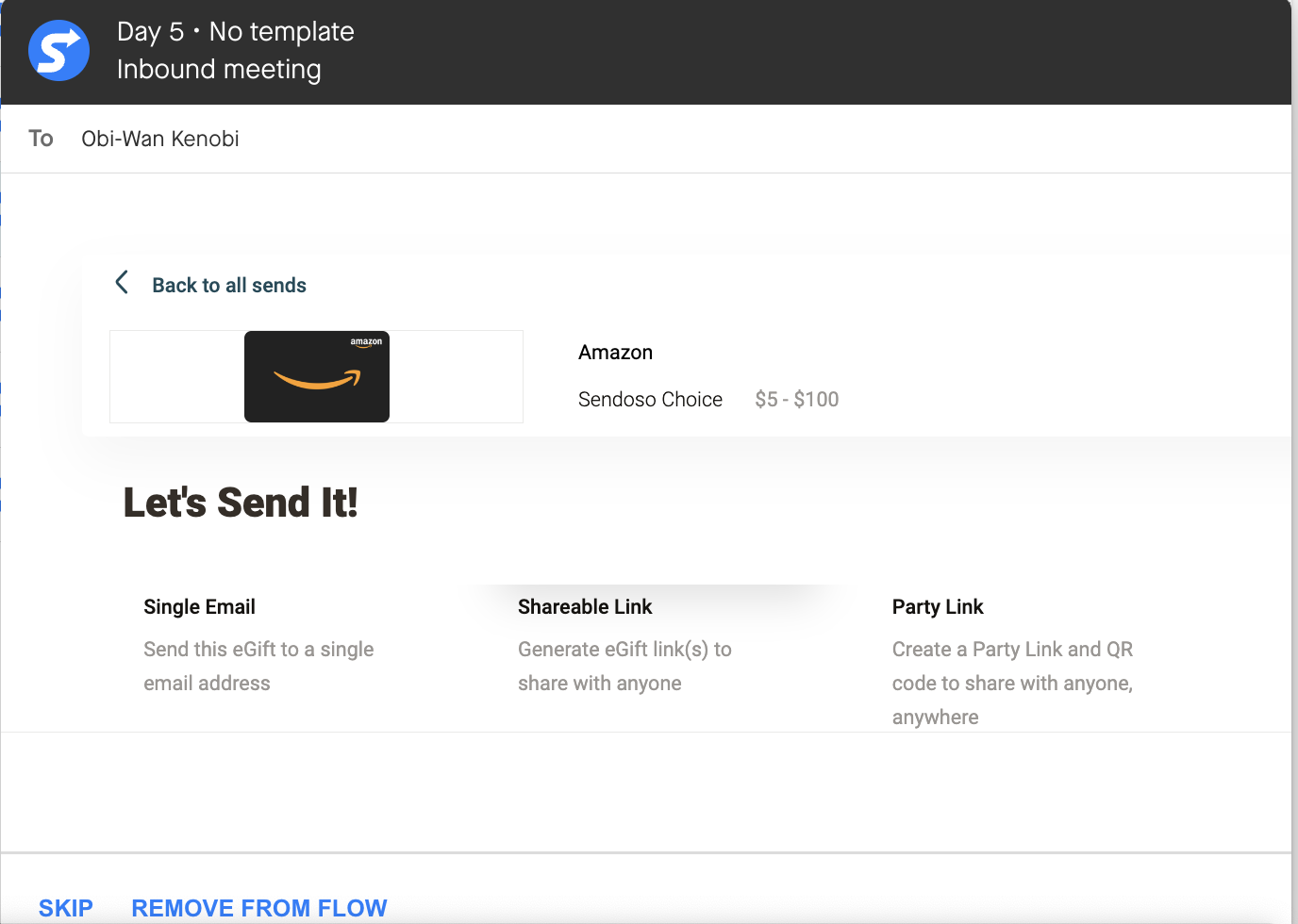
Search and select what you would like to send and select the method through which you would like to send it.
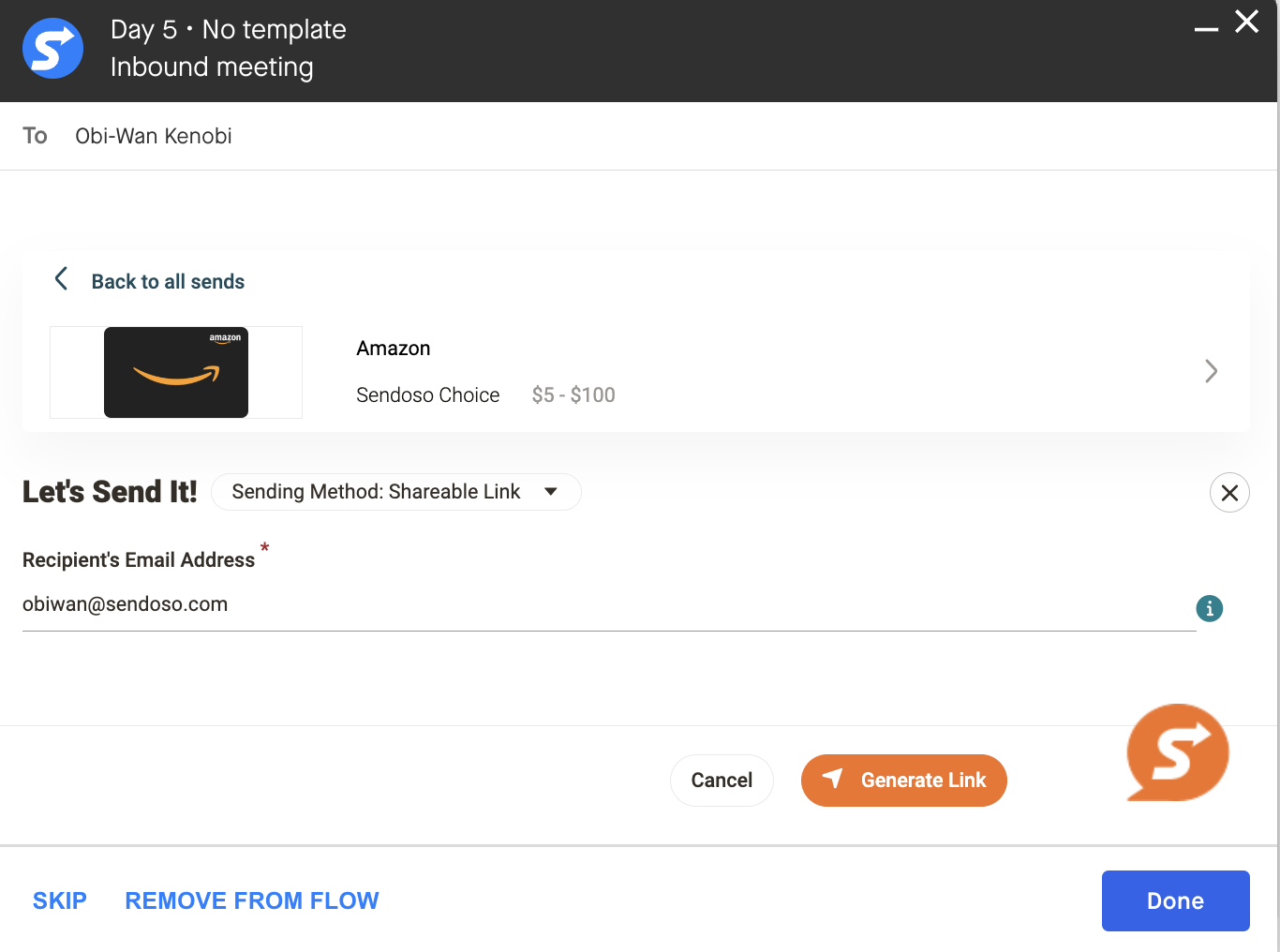
Input the details needed to send the campaign and click Send to complete the process. Then simply click Done to complete the action within Groove.